

2.4G Wireless Keyboard Mouse Set Bluetooth 5.0 Keyboard Mouse Combo 3 Modes Mini Keyboard Mouse For Laptop PC Accessories
Suit Silver
$22.84
Sale price
$22.84
Regular price
$22.84
Skip to product information



2.4G Wireless Keyboard Mouse Set Bluetooth 5.0 Keyboard Mouse Combo 3 Modes Mini Keyboard Mouse For Laptop PC Accessories
$22.84
Sale price
$22.84
Regular price
$22.84
🚚 Free Shipping
🔒 Secure Checkout
↩️ Easy Returns
⭐ Customer Favorite
Safe & Secure Checkout
Ships in 1–2 Business Days
Your order is processed quickly and prepared for shipment.
Estimated Delivery: 4–5 Business Days
Fast, reliable delivery straight to your door.
SPECIFICATIONS
Applicable Object: for laptop
Battery Included: Yes
Brand Name: AIPHY
Choice: yes
High-concerned chemical: None
Interface: USB
Keyboard Connection: WireLess
KeyboardMouseType: Bluetoothwireless,2.4ghzwireless
Model Number: K818
Mouse Connection: Wired
Origin: Mainland China
Package: Yes
Products Status: STOCK
Type: Mini,WireLess
Attention: To connect 2.4G for the first time, you need to plug the receiver into the computer's USB port, turn on the 2.4G power of the mouse, and place the mouse within 10cm of the receiver to receive the signal (there is no need to be so close for subsequent use, as it is the first connection)
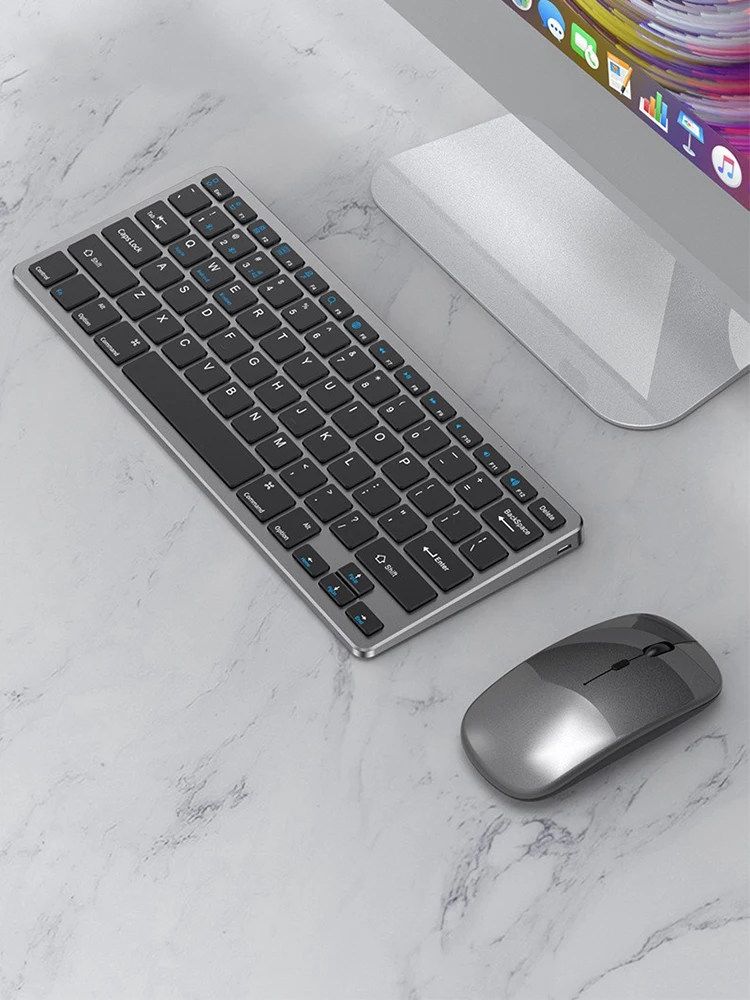
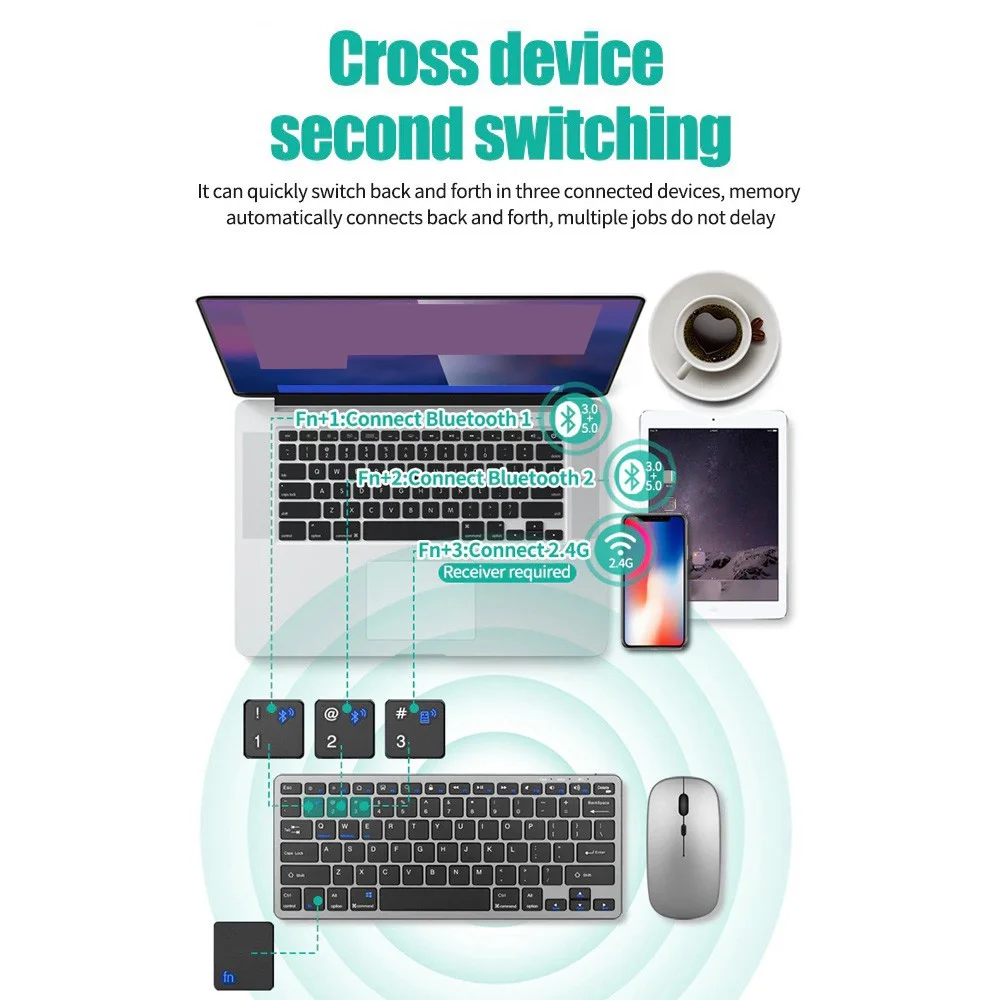
Cross device second switching
It can quickly switch back and forth in three connected devices, memoryautomatically connects back and forth, multiple jobs do not delay
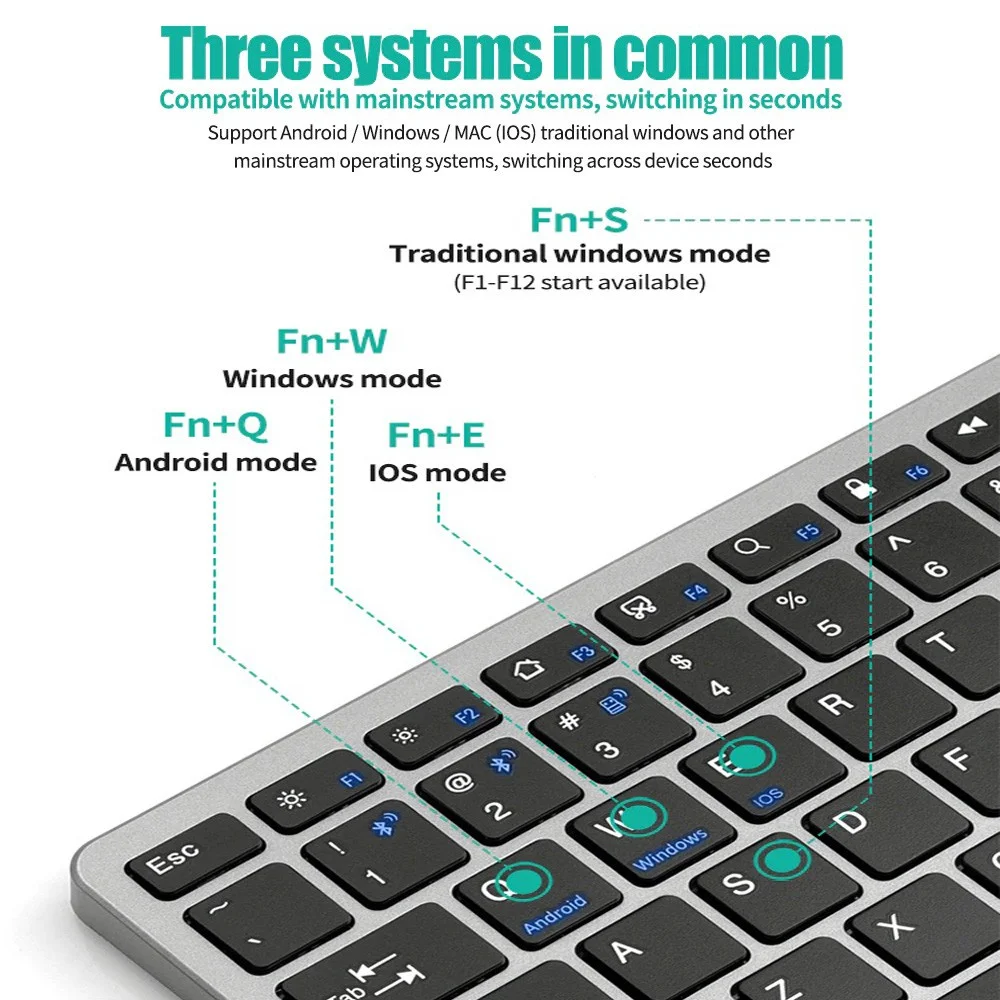
Three systems in common
Compatible with mainstream systems, switching in seconds
Support Android /Windows/MAC(IOS)traditional windows and othermainstream operating systems, switching across device seconds
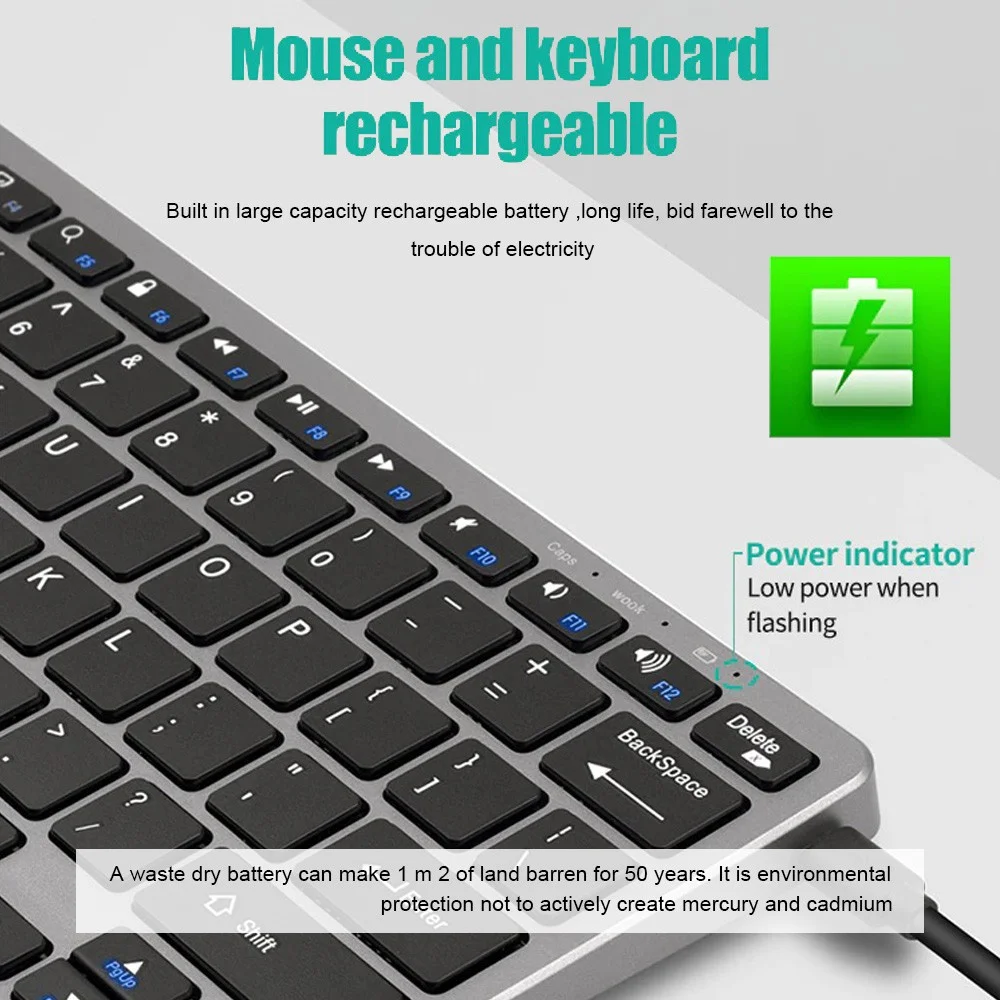
Mouse and keyboard rechargeable
Built in large capacity rechargeable battery ,long life, bid farewell to thetrouble of electricity
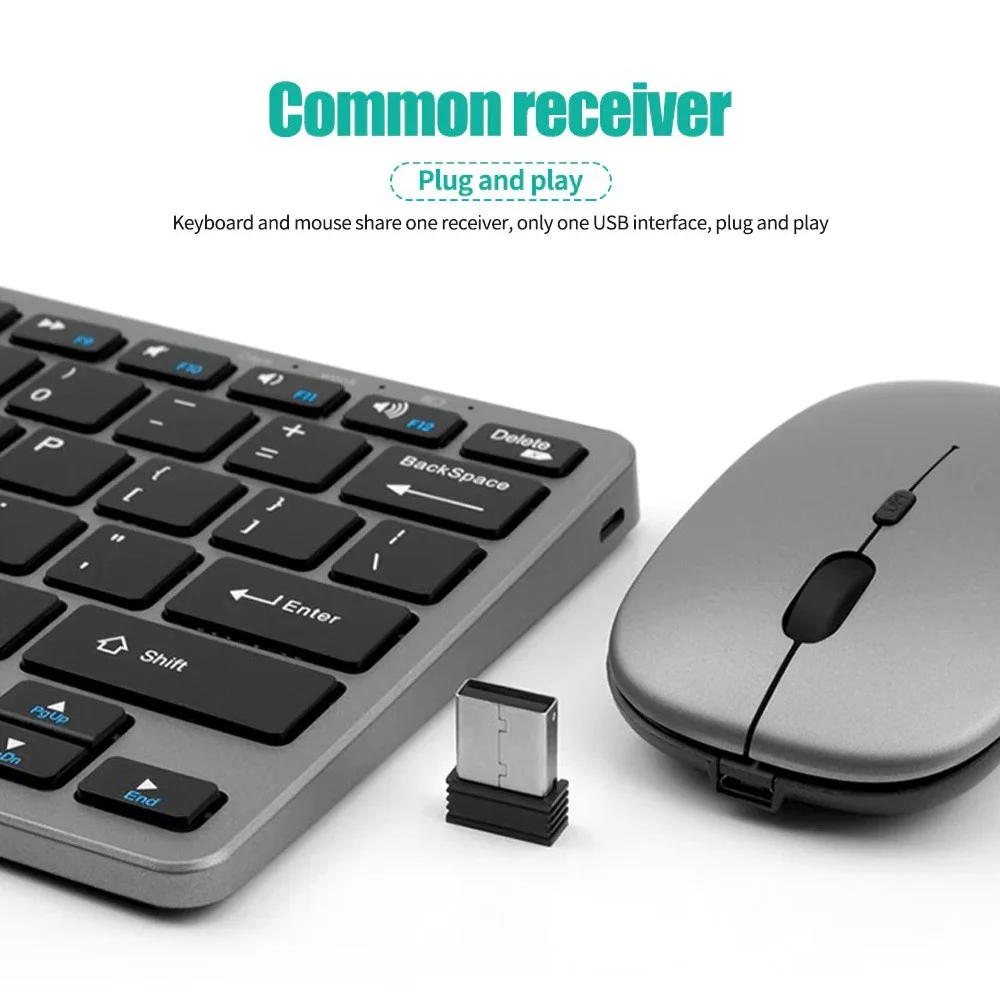
Common receiver(Plug and play)
Keyboard and mouse share one receiver, only one USB interface, plug and play
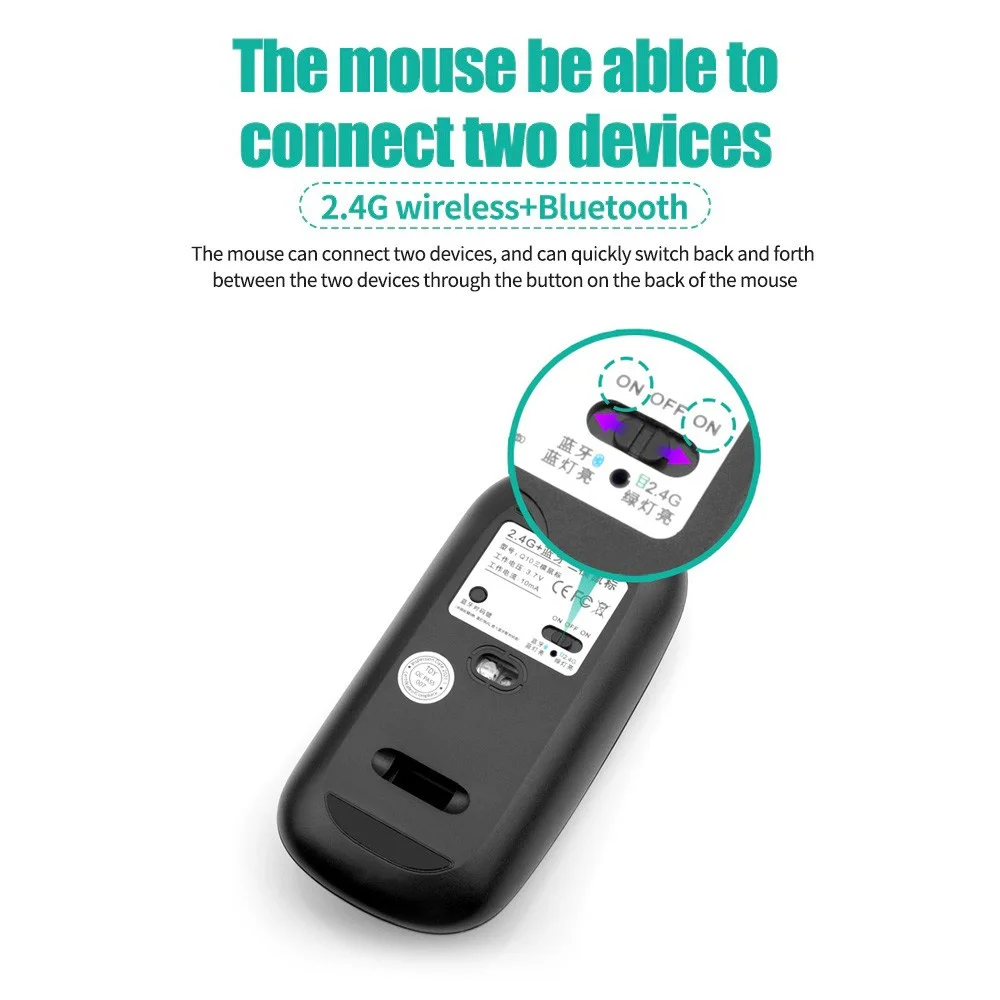
The mouse be able to connect two devices(2.4G wireless+Bluetooth)
The mouse can connect two devices, and can quickly switch back and forth between the two devices through the button on the back ofthe mouse
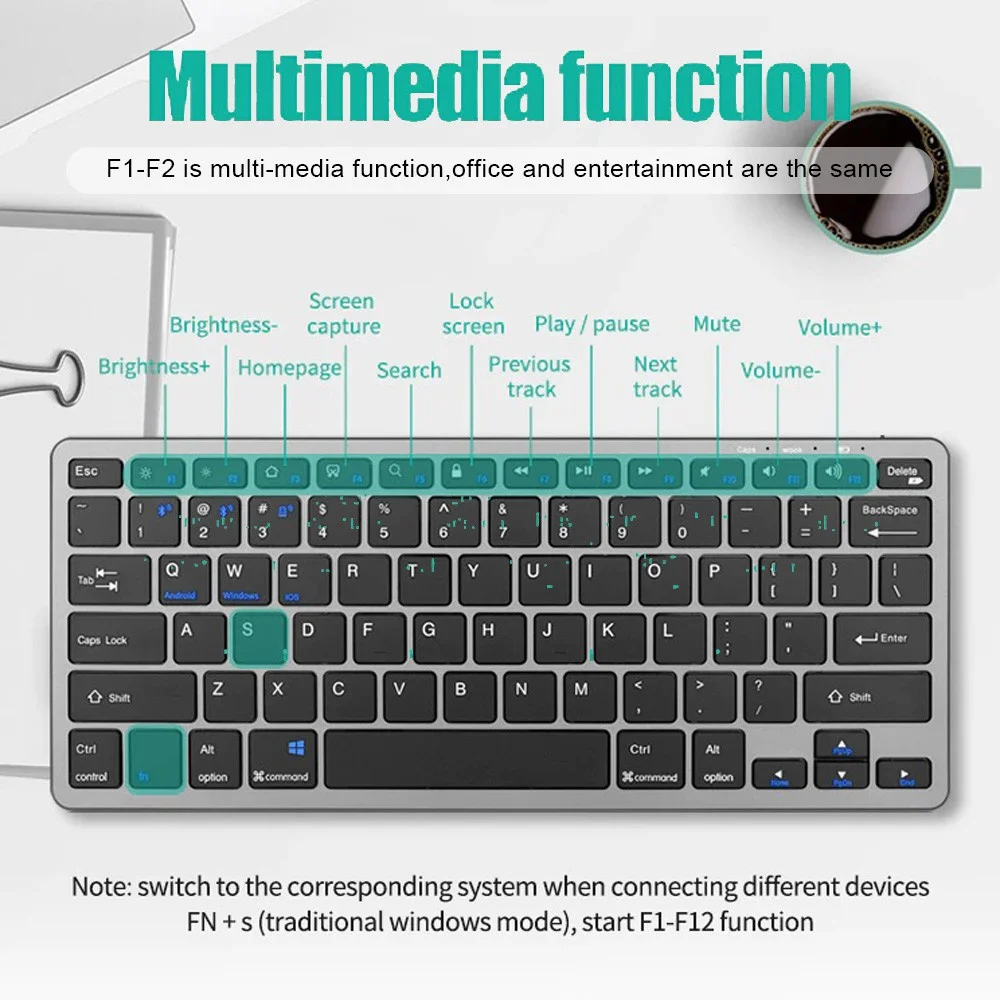
Multimedia functior
F1-F2 is multi-media function,office and entertainment are the same
Note: switch to the corresponding system when connecting different devicesFN +s(traditional windows mode),start F1-F12 function
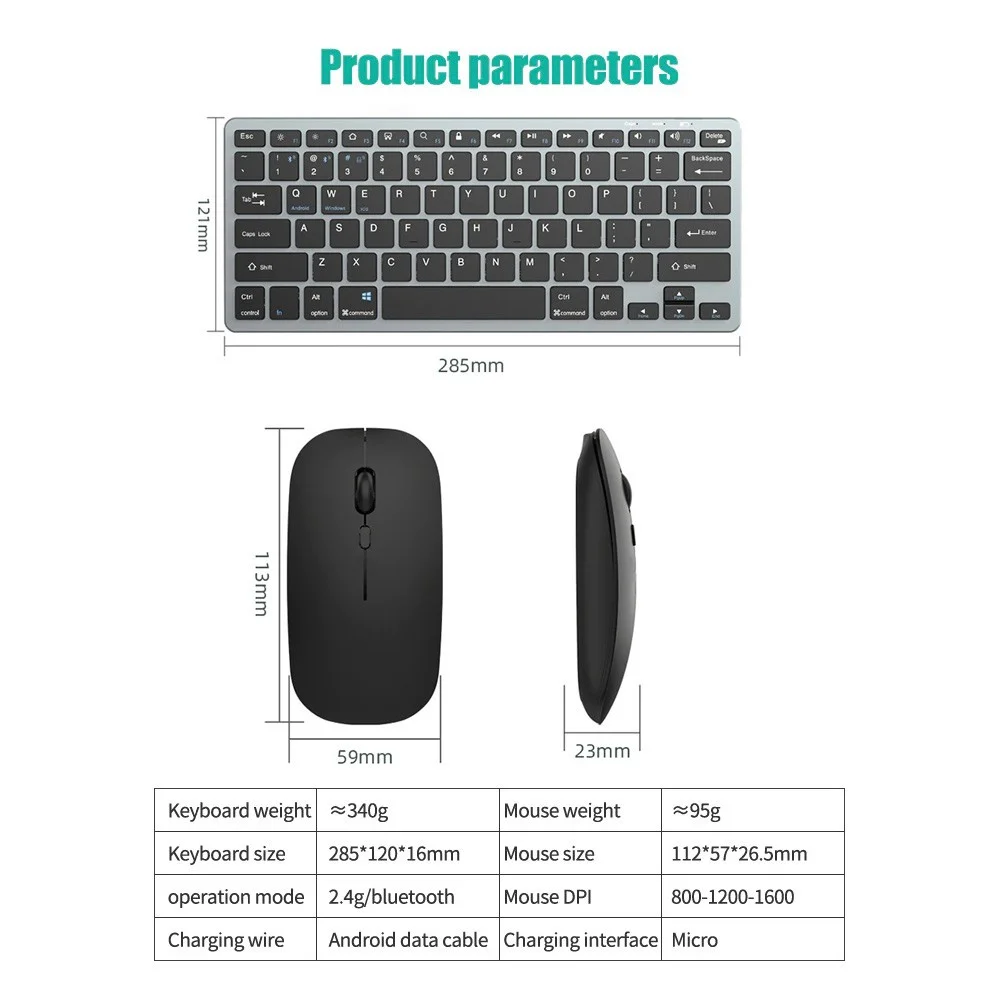
Product parameters
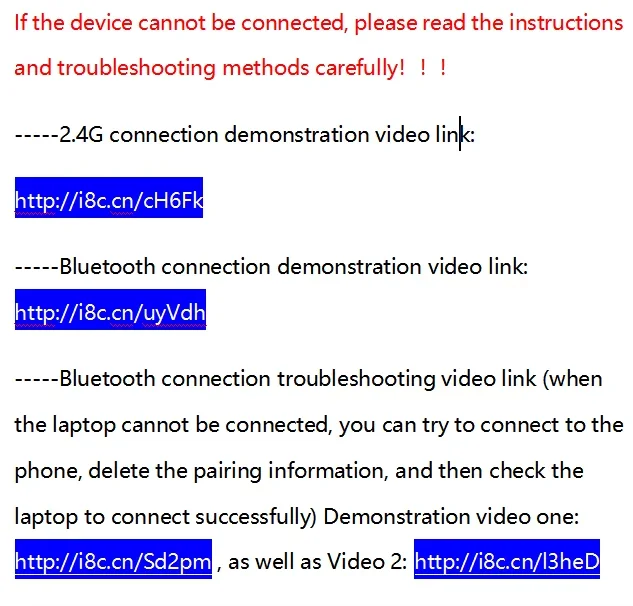
1. 2.4G connection
First plug the receiver into the computer USB port, turn on the mouse switch and set it to 2.4G, the light will flash for about 1 second, it will automatically connect, then turn on the keyboard switch and turn it to the ON position, the connection is successful about 1 second after the light flashes, if the light does not flash Just unplug the receiver and plug it in again. When not in use, you can directly turn off the keyboard and mouse without dialing out the receiver and turn it on automatically next time;
2. Bluetooth connection
Turn on the device's Bluetooth, turn on the mouse to the Bluetooth icon position, use Bluetooth to search for the name and connect directly, turn the keyboard switch to the ON position, press FN+1 or FN+2 for about one second, the light will stop after flashing, and it will be searched by Bluetooth direct connection. Note: Because this product supports Bluetooth 3.0 and 5.2 dual versions, there will be two Bluetooth hotspots in the Bluetooth search, no matter which one can be connected to use, version 3.0 only supports devices with lower Bluetooth version, version 5.2 supports Bluetooth 4.0 and above ios version 13 and above devices.
How to connect:
Press FN+C open the keyboard bluetooth function (Red light will flash) , then open the bluetooth of the laptop or tablet to connect
System support:
For Android: Press"FN+Q"
For Windows: Press"FN+W"
For IOS: Press"FN+E"
Multi-device connection:
1.FN+1: Connect to Bluetooth device 1
2. FN+2: Connect to Bluetooth device 2
3.FN+3: connect to usb, 2.4G wireless reception
4. FN+1,2,3 combination single press: you can switch paired devices
5. FN+1,2, press and hold the combination for 3 seconds: flashing light, you can start the searched state (connecting to a new device)
Note
This keyboard does not include Bluetooth adapter. If your device does not have Bluetooth, you will need to purchase an additional Bluetooth adapter.
The keyboard will automatically go into power savings mode after 10 minutes of inactivity. Press any key and wait 2-3 seconds to wake the keyboard.
There is no Escape key for Mac-book
The auto-correct feature on Pads is disabled when keyboard is in use.
Frequently Asked Questions
How long does shipping take?
Orders typically ship within 1–2 business days, with estimated delivery in 4–5 business days after shipment.
Do you offer returns?
Yes, we accept returns on eligible items. Products must be unused, in original condition, and returned within the allowed return window.
How can I track my order?
Once your order ships, you will receive a confirmation email with tracking information so you can follow your package.
Is checkout secure?
Yes, your payment information is processed through a secure encrypted checkout.
What if my item arrives damaged?
If your item arrives damaged, please contact us as soon as possible with photos so we can help resolve the issue.